
HsysIoT by Healosys · Preview
Describe your dashboard. Watch it go live.
Connect your ESP32 or any Wi-Fi device, tell HsysIoTBot what you want to see in plain English, and get a live dashboard in about a minute. No dashboard code, nothing to host.
Free during the preview · Sign in with Google or email
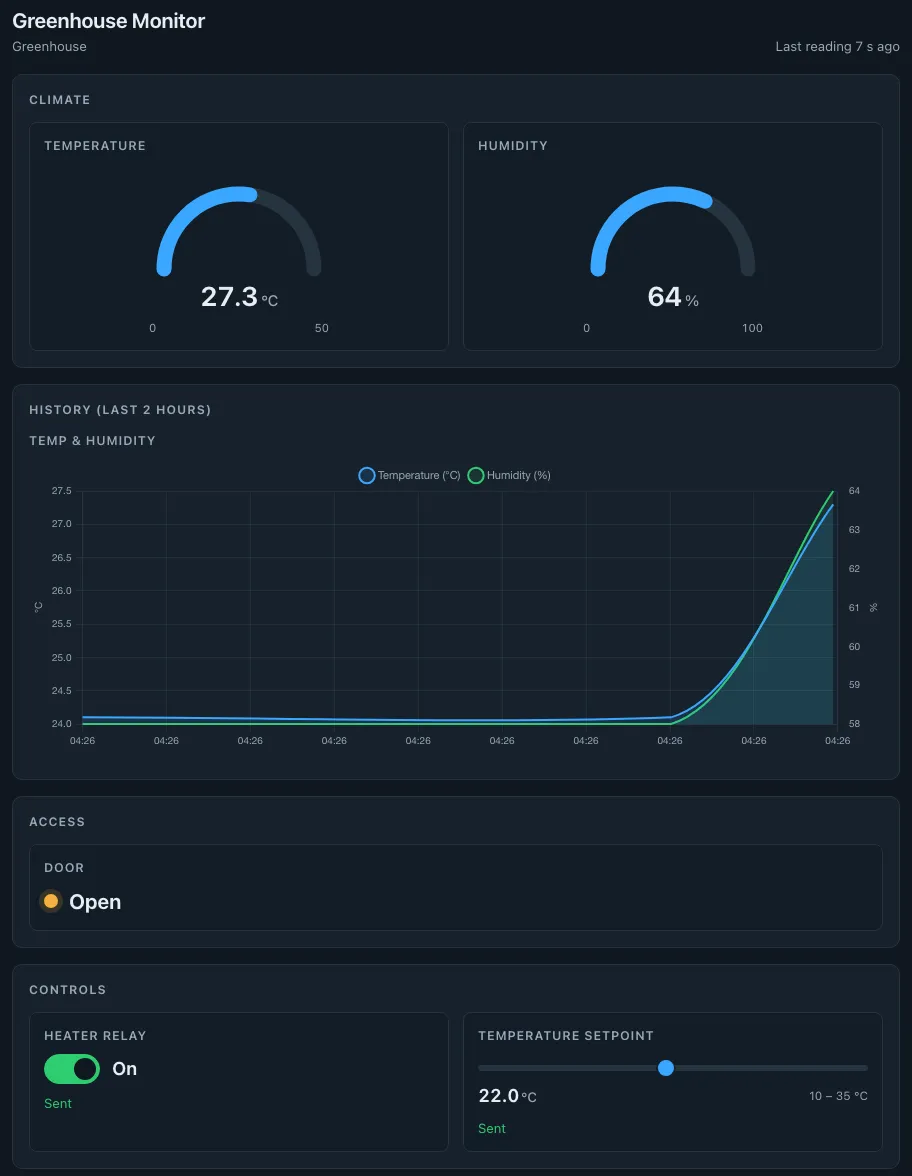
"Greenhouse monitor. Big gauges for temperature (0 to 50 °C) and humidity (0 to 100 %), a chart of both over the last 2 hours, show whether the door is open, a switch for the heater relay and a slider for the temperature set-point from 10 to 35."
How it works
From a sensor on your desk to a live dashboard
Four steps, and only one of them involves your device.
- 1
Sign in
Open HsysIoT and sign in with Google or your email. No setup, nothing to install.
- 2
Add your device
Give it a name and a token, then list what it measures (temperature, humidity...) and what it can be told to do (a relay, a set-point...).
- 3
Flash the example
Every device page has a ready-made sketch with your details filled in. Add your Wi-Fi name and password and upload it.
- 4
Describe your dashboard
Tell HsysIoTBot what you want to see, in your own words. About a minute later your dashboard is live.
Features
Everything a device dashboard needs
Built from a sentence
Gauges, charts, indicators, switches and sliders, laid out the way you described them.
Live every 5 seconds
New readings appear on their own. No refreshing, no waiting for a report.
Two-way control
Flip a switch or move a slider on the dashboard and your device reacts within seconds.
History at a glance
Charts show how readings changed over time, up to the last 5 days.
Private dashboards
Only you can open your dashboards, and only when you are signed in.
Ready-made device code
A sketch for every device, with its settings already filled in, plus an ESP32 example to start from.
Why HsysIoT
Spend your time on the device, not the dashboard
No dashboard code
Skip the web development. Describe the screen you want instead of building it.
Minutes, not weeks
Go from a working sensor to a dashboard you can show someone in one sitting.
Nothing to host
No servers to set up, update or keep running. Your dashboard is simply there.
Change it by asking
Want a bigger gauge or a longer chart? Ask again. Every request is a new version.
Works with boards you have
Start with the ESP32 example; any Wi-Fi board that can send small messages works the same way.
Controls that stay safe
The dashboard only sends values your device expects, of the type it expects.
ESP32 example
A temperature sensor, live in about 15 minutes
The example reads a DHT22 temperature and humidity sensor and lets your dashboard switch the LED on the board. No sensor yet? It can send made-up readings so you can try everything with a bare ESP32.
- Wire the DHT22: power, ground, and data to GPIO 4.
- On HsysIoT, add a device with the fields
temp,humidity(sensing) andled(control). - Open the sketch, fill in your Wi-Fi, device ID and token, and upload.
- Ask HsysIoTBot for a dashboard, and flip the LED from it.
The only lines you change
// Your settings
const char* WIFI_SSID     = "your-wifi-name";
const char* WIFI_PASSWORD = "your-wifi-password";
const char* DEVICE_ID    = "your-device-id";
const char* DEVICE_TOKEN = "your-device-token";
What your device sends, every 10 seconds
{"temp": 24.3, "humidity": 61.2}What your dashboard sends back
{"led": true}Questions
Good to know
What does it cost?
HsysIoT is free while it's in preview. Each account can generate up to 5 dashboards per day.
Which devices can I use?
The ready-made example is for the ESP32. Any Wi-Fi board that can send and receive small JSON messages can be connected the same way.
Do I need to write code?
Only on the device, and the example does most of it for you. The dashboard itself needs no code at all.
Who can see my dashboard?
Only you. Dashboards open for their owner, signed in, and for no one else.
Can I change a dashboard later?
Yes. Describe what you want differently and a new version replaces the old one on your dashboard page.
Is it ready for critical equipment?
Not yet. During the preview, device messages travel over a shared channel that others could listen to. Don't use it yet for sensitive data, or for equipment where an unexpected command could cause harm.
Ready to see your device live?
Sign in, add your device, and describe your first dashboard.